A whole production crew in one click. An artificial intelligence assistant that installs on your PC and works inside vMix while you are on air: it listens to the show and suggests lower thirds, obeys your voice commands, handles your video-call guests on its own and dubs your content into another language.
A small channel cannot afford a graphics operator, a translator, someone to look after the guests and an editor. VMate does that work with AI from a single computer.
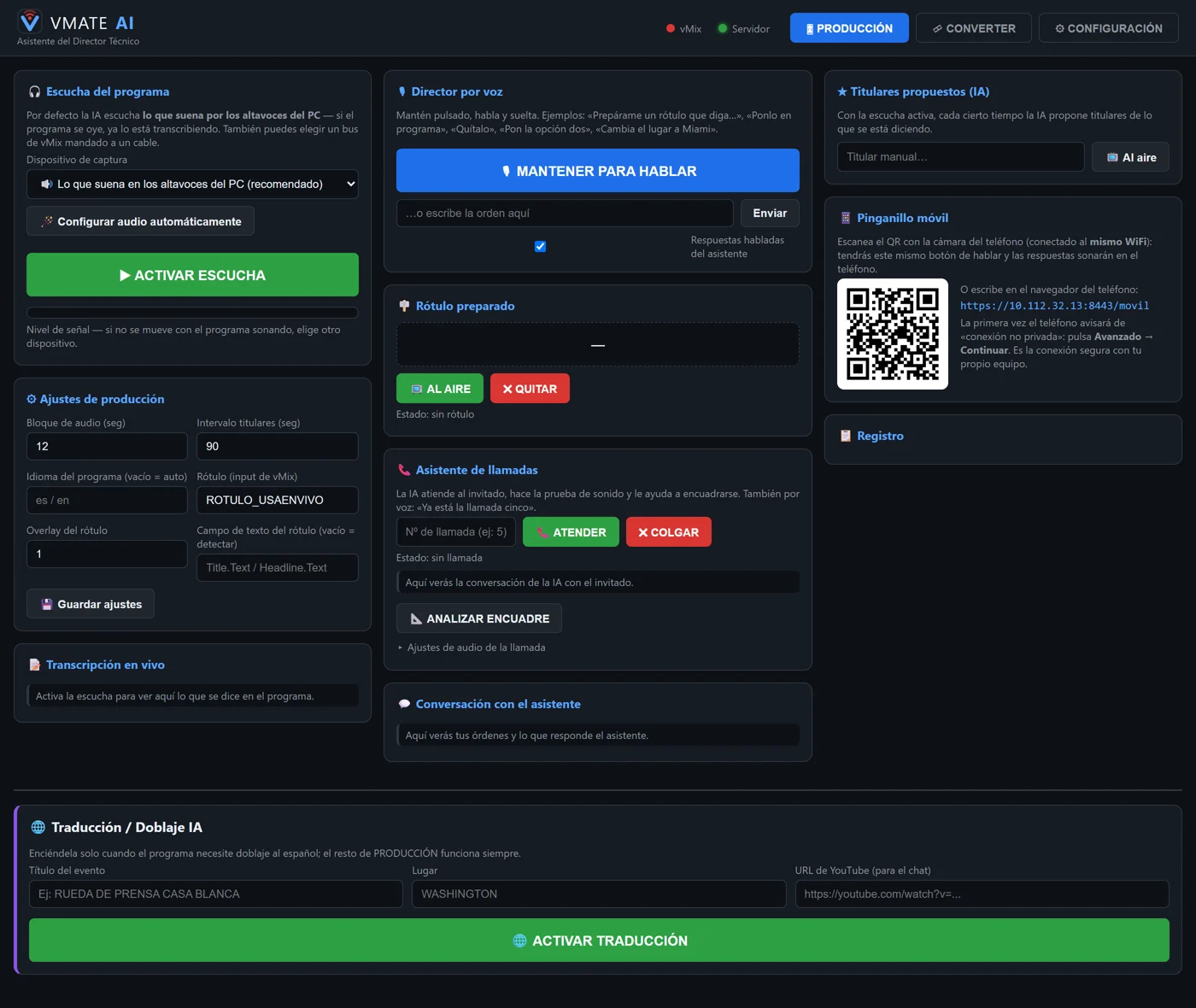
The production panel: voice directing, lower thirds, call assistant, AI headlines and phone talkback, all on one screen.
Tested on air every single day on our own USA en Vivo channel before it reaches your studio.
It transcribes what is going out in real time and suggests lower thirds ready to put on air with one click. No cabling needed: it captures whatever comes out of the computer's own speakers.
Hold a button down and speak normally: "prepare a lower third that says…", "put it on programme", "cut to camera two", "mute the music", "start recording". Sensitive actions ask you to confirm out loud before they run.
Scan a QR code and your phone becomes the director's remote: hold, speak, and the AI runs the command in vMix. Without leaving the control room and without cables.
Recorded clips are transcribed, dubbed into another language with AI voices and put back into the vMix playlist in the exact order they were recorded. With translated tweets on screen and YouTube chat read out.
Two artificial intelligence presenters comment on the event during breaks, so the live show never falls silent while the next block is being prepared.
When you finish it generates the highlights, a voiced recap and archives the full show alongside its transcript. Nobody has to stay behind to do it by hand.
When a guest joins a vMix video call, VMate greets them without you having to do anything: it introduces itself as an artificial intelligence production assistant, runs the sound check measuring their actual level, checks their framing with computer vision — asking them to turn the phone if they are in portrait, or to centre themselves — and tells you when they are ready to go on air. It sorts out all the audio routing inside vMix by itself.
It is the difference between someone minding a guest for half an hour and spending that half hour directing the show.
And it does it in Spanish, English or Brazilian Portuguese: the language you choose changes the whole application, not just the menus — the voice commands, the lower thirds and what the assistant says to your guest.
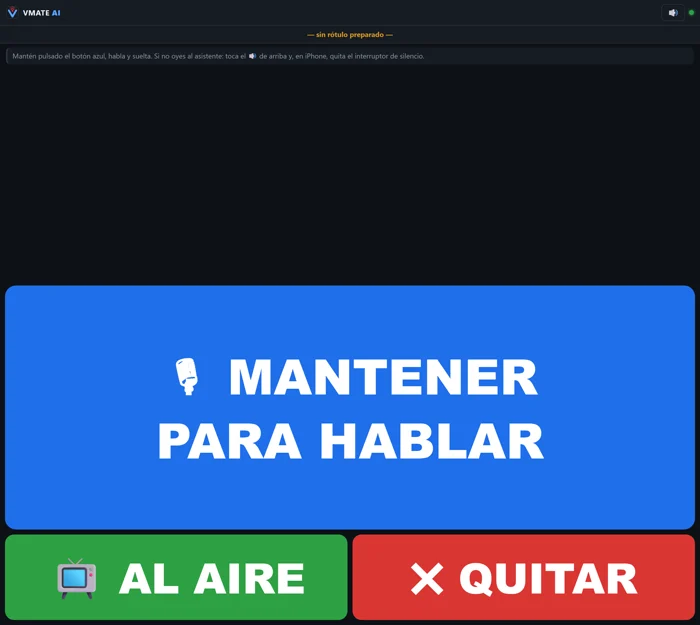
From your phone: hold, speak, and the command runs in vMix.
The least glamorous part and the one that saves the most time: what used to be minutes of exporting is now seconds.
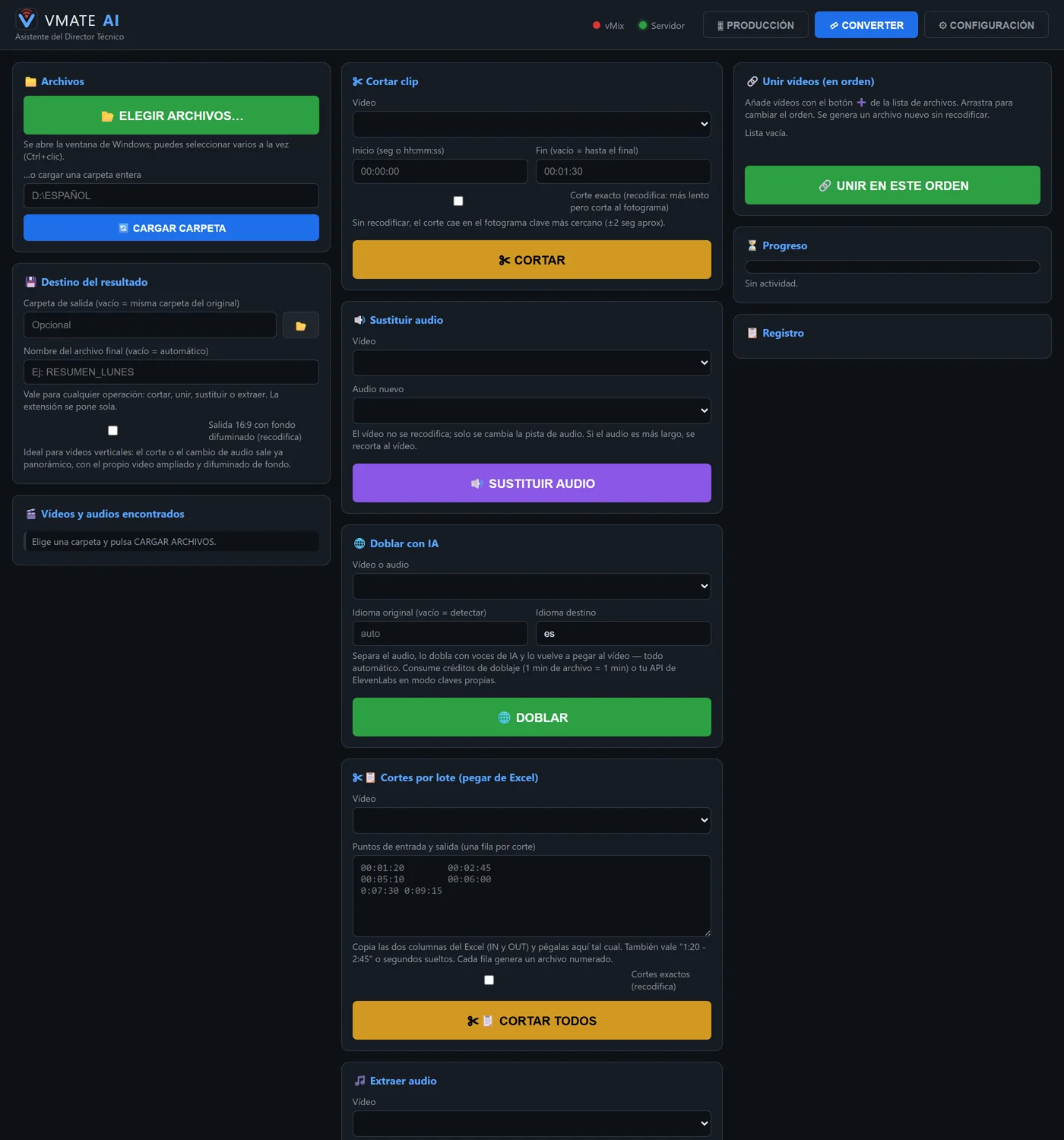
The Converter tab: cut, join, dub with AI, batch cuts and transcribe.
We would rather tell you here than after you have paid.
It is not a plugin: it is a separate application that talks to vMix. It does not work with OBS or other switchers.
The artificial intelligence features run in the cloud. It tolerates brief dropouts, but without a connection they do not work.
Each clip takes a little while to process before it comes out dubbed.
To hear your guests it needs the VB-Audio Hi-Fi Cable, which is free. The application gives you the link and sets up almost everything by itself. No other feature needs it.
For now we give access to VMate AI case by case. Send us a request and we will tell you how to get started.
This will be VMate's support hub: video tutorials, product news and the version history will be published here.
Video tutorials are coming here very soon.
Product news will be published here.
Current version: 4.4.1.
Only with vMix. VMate is not a plugin: it is a separate application that talks to vMix, installed on the same PC or on the local network. It does not work with OBS or other switchers.
For now, on request. Write to us through the contact form (choosing "VMate AI access") or at info@miamilivestreaming.com, tell us about your channel or production, and we will send you the steps and the terms.
Yes. The AI features run in the cloud. It tolerates brief dropouts, but without a connection they do not work.
Spanish, English and Brazilian Portuguese. You pick the language when you install it and it changes the whole application: the panel, the voice commands, the lower thirds and what the assistant says to your guests. The manual comes in all three.
No. It is a single executable with everything bundled: no Python, no FFmpeg, nothing else. The only exception is the call assistant, which needs the free VB-Audio Hi-Fi Cable virtual audio driver in order to hear your guests. The app gives you the link and sets up almost everything by itself.
Request access and we will tell you how to start using it in your production.